
Webflow vs WordPress: an honest 2026 decision guide
A platform-neutral Webflow vs. WordPress comparison for owner-operated businesses, with real costs, maintenance, editing, and fit by use case.
Most Webflow vs WordPress articles are written by someone who sells one of them. The Webflow agencies say Webflow. The WordPress plugin makers say WordPress. Both platforms rank their own comparison pages. This one is written by a studio that builds on both, and migrates between them when each stops fitting. Platform-neutral and migration-agnostic. Here is the decision without the sales angle.
Webflow vs WordPress: the short answer
For a new owner-operated business site in 2026, Webflow is usually the stronger of the two platforms, on one condition: someone competent builds it and the team accepts a learning curve to edit it later. WordPress.org still wins on ownership, deep ecommerce through WooCommerce, and membership sites, and it remains rational when there is already a capable team maintaining it. Neither is automatically right. The build and the maintainer matter more than the logo.
"WordPress" is three different products, and the difference decides everything
WordPress is not one thing. WordPress.com is hosted software with tiered plans. WordPress.org is self-hosted open source the team installs and maintains. WordPress VIP is enterprise hosting that starts near $25,000 a year. Most comparisons quietly mix these up. Decide which WordPress is on the table before comparing anything, because the cost, control, and maintenance load are not close.
WordPress.com is fine for a brochure site on the Premium or Business plan. Plugins are restricted below Business ($300 a year), which means the lower tiers are a hosted page builder with a WordPress brand on top. WordPress.org is the open-source product most people mean when they say "WordPress." The team installs it on its own hosting, picks themes and plugins, and owns the maintenance load. WordPress VIP is for media and large publishers running paywalls, subscriptions, or compliance-shaped publishing. It is the wrong answer for any owner-operated business.
When a competitor says "WordPress is cheap," they mean .org. When a competitor says "WordPress is fragile," they also mean .org. They are talking about the same product on opposite days.
What Webflow actually is, and what it is not
Webflow is a visual interface for writing real HTML and CSS, with a built-in CMS and managed hosting. It is a professional design tool, not a casual drag-and-drop builder. That distinction matters: Webflow rewards someone who understands layout and gives a beginner a steep climb. Calling it no-code is true and misleading at the same time.
The studio recommends Webflow for clients who want one platform with nothing to patch and who can either hire someone to build it or invest the hours to learn the Designer. For a non-technical owner expecting to build the site themselves over a weekend, Webflow is the wrong tool. Squarespace exists for that buyer, and the studio recommends Squarespace when it fits.
Design, build speed, and maintenance
Webflow produces custom design faster than WordPress because design, build, and hosting live in one place with nothing to patch. WordPress can match any design, but quality work means a developer working across themes, plugins, and ongoing updates.
The maintenance load is the part competitors skip. WordPress.org carries a real maintenance commitment in 2026. Independent data from PatchStack: 11,334 new WordPress vulnerabilities in 2025, 91 percent of them in plugins, with a median 5-hour exploit window between disclosure and active exploitation. 46 percent of disclosed vulnerabilities ship without patches. WordPress is the right answer when the team has a real maintenance budget. It is the wrong fit when the team picks it for familiarity but does not fund ongoing patching.
Webflow removes the maintenance tax. There are no plugins to update and no security patches to apply. The platform updates non-breakingly in practice. That ongoing load is a real cost, not a footnote.
What each really costs over three years
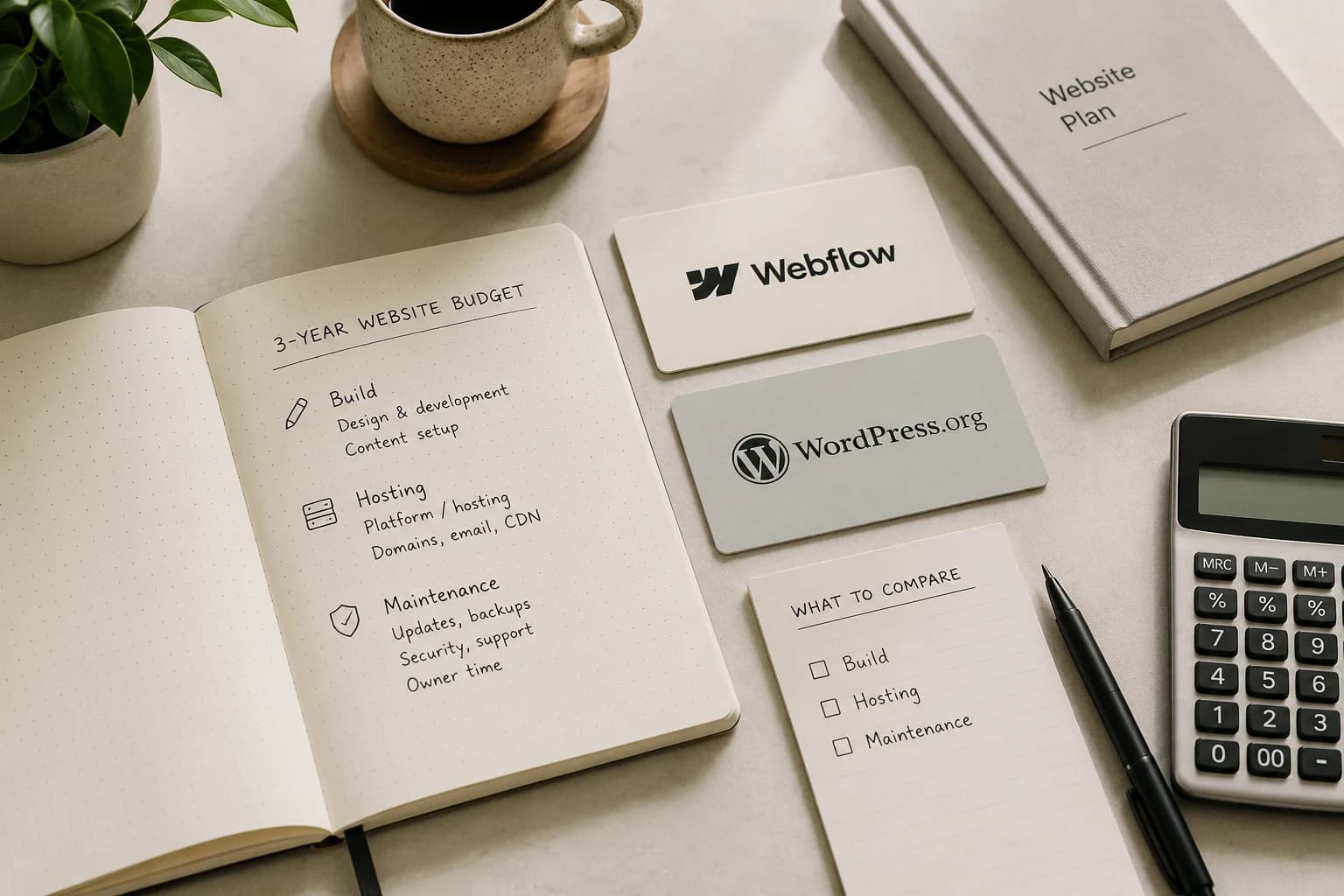
Compare three-year totals, not monthly headline prices. WordPress.org looks free until the team adds hosting, a premium theme, several plugin renewals, and either a maintenance retainer or in-house hours. Webflow looks pricier per month, then adds workspace seats that climb with team size. For an owner-operated site, both usually land in the same range.
A defensible three-year range for a single-location owner-operated WordPress.org site: $1,200–$9,000 over three years for hosting, theme, plugin renewals, and either a maintenance retainer or the owner's own hours. Webflow Premium at $25 a month over three years lands at $900; add workspace seats and CMS items at scale and the upper end can reach the same place. The build cost is the larger number in either case and the cost section in the 2026 custom website cost guide covers it in detail.
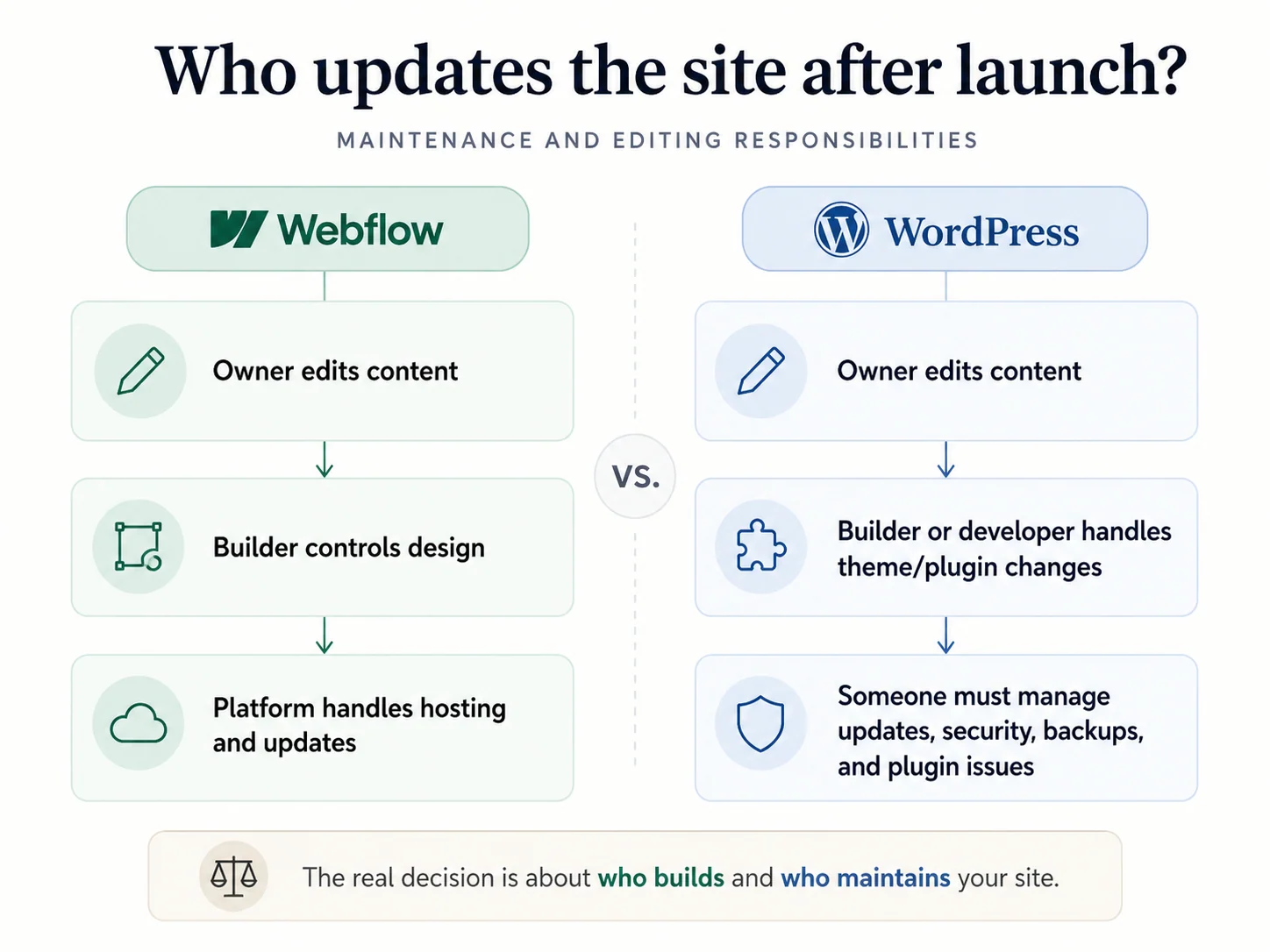
Who can update the site after launch
This is the question that should decide most builds, and it is the one comparisons skip. After launch, can the owner change their own hours, prices, photos, and posts without breaking the design or paying the builder every time?
Webflow's Editor lets a non-technical owner edit content safely. The Designer is for the developer; the Editor is for the team. The owner sees editable text, images, and CMS entries in context. Note: Webflow is retiring the legacy Editor on August 4, 2026, in favor of in-context editing inside the main platform. Clients trained on the old Editor need a short re-onboarding.
WordPress varies widely by how it was built. A custom theme with carefully scoped Advanced Custom Fields lets the team edit safely. A site assembled from page builders and 30 plugins gives the team a hundred ways to break the layout. If the team cannot maintain it, they do not really own it.
SEO and AI search
Webflow gives more native technical SEO control out of the box: clean markup, schema, canonical tags, redirect manager, fast Core Web Vitals. WordPress matches it through plugins like Yoast or Rank Math, with the fragility plugins bring.
For a small or local business, the platform is not what decides rankings. Content, structure, internal linking, and a site fast enough to be cited by AI engines decide them. The studio's technical SEO for Next.js article covers the framework-level baseline that ships under both platforms when the studio runs the build.
When a site is moving from one platform to another, the migration risk is often bigger than the platform choice. Redirects, canonicals, and schema belong in the SEO migration plan before the design moves.
Ecommerce, memberships, and booking
This is where the platforms stop in different places.
WooCommerce on WordPress is the deeper ecommerce engine and remains the right answer when product revenue is the primary use case but the site cannot live on Shopify. Webflow Ecommerce suits smaller, design-led stores under 100 SKUs.
Webflow ended its Memberships and user-account feature on January 29, 2026. For any site that needs a login, gated content, or paid member access, Webflow is the wrong call. WordPress with Restrict Content Pro, MemberPress, or Paid Memberships Pro handles this directly.
Neither platform offers native booking. For hospitality, wellness, fitness, or any business where customers schedule with the site, this matters. The studio integrates Cal.com, Mews, Acuity, or custom booking flows on either platform. Booking is a web-development engagement, not a platform feature.
When WordPress is still the right call
WordPress is the rational choice in a few specific cases. When the team already has a capable developer or agency maintaining it and the maintenance budget is funded. When the site needs deep ecommerce through WooCommerce. When the site runs member accounts or gated content. When owning and self-hosting the database is a hard requirement, often for regulatory or sovereignty reasons.
None of those describe most new owner-operated sites. When they apply, they apply decisively.
When Webflow is the right call
Webflow fits when design quality is a competitive edge, when the team wants one platform with nothing to patch, and when there is someone, in-house or hired, who can build it and train the team to edit it. It suits marketing-led sites that change often, structured content collections with up to 20,000 items, and brands where the visual identity has to be exact.
Webflow is the weaker call if the budget is tight or no one will maintain it, and the wrong call when the site needs memberships or gated content.
The option the platform marketing skips: a custom build
Neither platform's marketing mentions the third path, because neither sells it. When the site is the storefront and has to do real work (booking, integrations, speed, growth, AI workflows), a custom build is worth pricing against both. It is not always the answer. For a simple brochure site, it is overkill. When the site earns revenue, it often pays for itself in the first year through better conversion, faster pages, and lower platform overhead.
The studio's custom websites engagement covers what a from-scratch build looks like. Black Salt Room is the proof point: a custom Next.js build for a wellness studio, scoring Lighthouse 100 on Performance, Accessibility, Best Practices, and SEO on first run.
How to decide
Skip the feature lists. Answer four questions honestly:
- Who builds this site?
- Who maintains it after launch?
- What does the site need to do beyond looking good?
- What is the three-year budget?
Those four answers point to a platform far more reliably than any comparison table. If they point to a custom build, that is a real result, not a failure.
The CMS comparison and decision tool runs the same four questions in a structured way and gives a recommendation in about two minutes. Worth running before deciding.
If the answers point to needing the right vendor before the right platform, that is fine. The studio's CMS build engagement starts with the platform decision in the brief, not as an assumption.
Frequently asked questions
Is Webflow better than WordPress?
Is Webflow cheaper than WordPress?
What is the difference between WordPress.com and WordPress.org?
Can a site migrate from WordPress to Webflow?
Is Webflow good for SEO compared to WordPress?
Is WordPress still worth it in 2026?
Not sure whether Webflow, WordPress, or custom is right?
Send Jardine Studio the site you are planning, rebuilding, or moving. We’ll help you choose the right platform before the build starts.